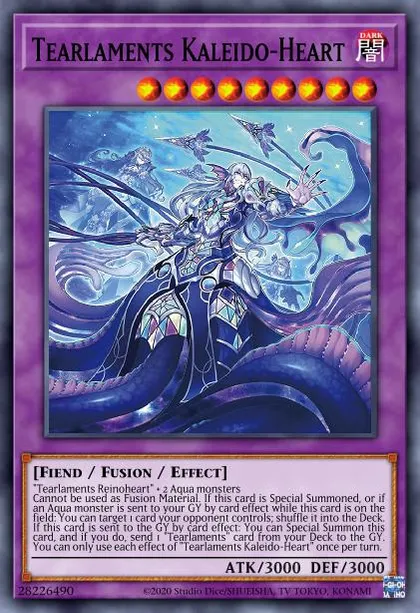
Hi! I'm bedorocksf. Some of you might’ve seen me around the MDM Discord or on Farfa Challenger Cup livestreams, playing a very unhinged (but spicy) Tearlaments build.
With the recent announcement of Loading...’s ban, an update on Tearlaments is long overdue. Today we’ll run through the viable variants of Tear post Cruler, including innovations made in the #tearlaments channel! The list of variants will change with time, as new and exciting ways of playing Tear are labbed out. These are just some of the better known ones right now.
Here’s a quick rundown:
Variants
Pure (4 Axis)
Pure (ReFu)
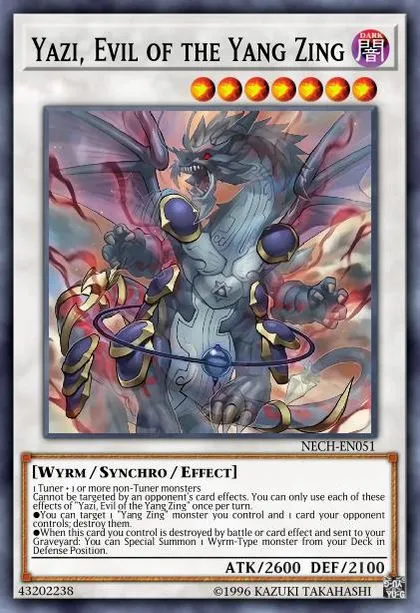
Pure (Yazi)
Lunalight
Scareclaw
Mannadium
Danger!
Kashtira
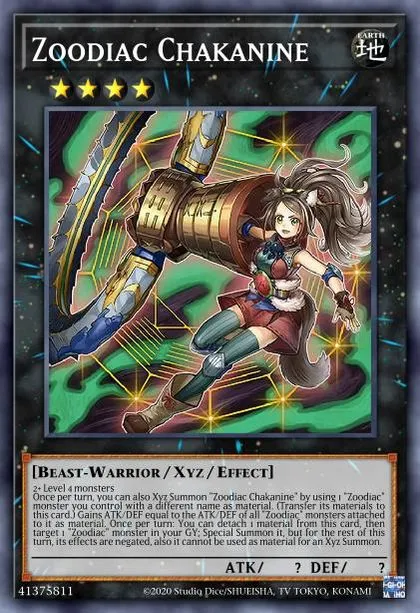
A simple low commitment build, this variant is recommended for beginners. It focuses on playing good level 4 mills to facilitate powerful r4nks such as Loading..., Loading... and the Zoodiacs. The Zoodiacs can be a part of your Kaleido + Drident endboard or to break boards with a huuuuge Zeus!
If the Yu-Gi-Oh! DB website asks to login with Game Card ID just click "I don't have a game card ID" and fill some basic information to proceed
Export Guide
- Via the MDM extension (Recommended): Download on Firefox, or Chromium Browsers For Chromium browsers (Chrome/Edge/Opera/Brave...etc) just click "Add to chrome" on the store page and it'll work on most if not all chromium browsers. After using the extension, go to the Master Duel game => Main menu => Deck option => The Card database option at the top right corner => locate the deck you exported and copy it
Once the deck page loads click Edit then do one of the following based on the platform your device is running:
(PC Only): Press F12 to open the DevTools window => Navigate to the Console tab in the window => Paste the export code => Hit Enter
OR (Other platforms/PC): In the address bar of the current tab remove the URL and type "javascript:" without the quotations then paste the export code, then if you're on mobile look for the *globe* icon and tap on it to run the code (Chrome only), for PC users just hit enter.
The deck will save automatically
Go to the Master Duel game => Main menu => Deck option => The Card database option at the top right corner => locate the deck you exported and copy it
This variant uses Loading... to play through interactions and into boards. Assuming your Level 4 Normal Summon (Loading... or Loading...) is negated, you can summon Loading....
Beatrice can now send a Tearlaments name to fuse into Loading.... It also has another material for the opponents turn to dump another name or Loading... or Loading....
For flexibility, we can also summon a Level 4 off Loading..., enabling easier access to Loading... or Zoodiac Zeus lines to break opponents boards. This variant can be mixed with the Yazi variant, decklist is in the Yazi tab.
If the Yu-Gi-Oh! DB website asks to login with Game Card ID just click "I don't have a game card ID" and fill some basic information to proceed
Export Guide
- Via the MDM extension (Recommended): Download on Firefox, or Chromium Browsers For Chromium browsers (Chrome/Edge/Opera/Brave...etc) just click "Add to chrome" on the store page and it'll work on most if not all chromium browsers. After using the extension, go to the Master Duel game => Main menu => Deck option => The Card database option at the top right corner => locate the deck you exported and copy it
Once the deck page loads click Edit then do one of the following based on the platform your device is running:
(PC Only): Press F12 to open the DevTools window => Navigate to the Console tab in the window => Paste the export code => Hit Enter
OR (Other platforms/PC): In the address bar of the current tab remove the URL and type "javascript:" without the quotations then paste the export code, then if you're on mobile look for the *globe* icon and tap on it to run the code (Chrome only), for PC users just hit enter.
The deck will save automatically
Go to the Master Duel game => Main menu => Deck option => The Card database option at the top right corner => locate the deck you exported and copy it
Synchro summon a Level 6 monster such as Loading..., but recommendation is to summon Loading... and dump a level 1 as Shooting Riser is in the ED regardless of this line.
Whilst Bystials may go out of favour due to a lack of light/dark decks and the fall of Dlink, this line is also powerful going second at breaking boards. Note that this variant can be mixed withLoading...; a list is shown below.
If the Yu-Gi-Oh! DB website asks to login with Game Card ID just click "I don't have a game card ID" and fill some basic information to proceed
Export Guide
- Via the MDM extension (Recommended): Download on Firefox, or Chromium Browsers For Chromium browsers (Chrome/Edge/Opera/Brave...etc) just click "Add to chrome" on the store page and it'll work on most if not all chromium browsers. After using the extension, go to the Master Duel game => Main menu => Deck option => The Card database option at the top right corner => locate the deck you exported and copy it
Once the deck page loads click Edit then do one of the following based on the platform your device is running:
(PC Only): Press F12 to open the DevTools window => Navigate to the Console tab in the window => Paste the export code => Hit Enter
OR (Other platforms/PC): In the address bar of the current tab remove the URL and type "javascript:" without the quotations then paste the export code, then if you're on mobile look for the *globe* icon and tap on it to run the code (Chrome only), for PC users just hit enter.
The deck will save automatically
Go to the Master Duel game => Main menu => Deck option => The Card database option at the top right corner => locate the deck you exported and copy it
If the Yu-Gi-Oh! DB website asks to login with Game Card ID just click "I don't have a game card ID" and fill some basic information to proceed
Export Guide
- Via the MDM extension (Recommended): Download on Firefox, or Chromium Browsers For Chromium browsers (Chrome/Edge/Opera/Brave...etc) just click "Add to chrome" on the store page and it'll work on most if not all chromium browsers. After using the extension, go to the Master Duel game => Main menu => Deck option => The Card database option at the top right corner => locate the deck you exported and copy it
Once the deck page loads click Edit then do one of the following based on the platform your device is running:
(PC Only): Press F12 to open the DevTools window => Navigate to the Console tab in the window => Paste the export code => Hit Enter
OR (Other platforms/PC): In the address bar of the current tab remove the URL and type "javascript:" without the quotations then paste the export code, then if you're on mobile look for the *globe* icon and tap on it to run the code (Chrome only), for PC users just hit enter.
The deck will save automatically
Go to the Master Duel game => Main menu => Deck option => The Card database option at the top right corner => locate the deck you exported and copy it
My personal favourite (no bias as the Lunalight helper), this variant utilises the Rank 4 spamming capabilities of Lunalights. Powerful mill effects of Loading... help build a stronger endboard as well as push through more interruptions both going first and second. The Lunalights are extremely efficient at flooding the field with bodies, enabling endboard payoffs such as Loading... and Loading.... They also help facilitate OTK lines via Loading..., critical when going second under Maxx C.
Uniquely, the Lunalight engine is one that can be accessed through your mills. This creates an interesting dynamic where Tearlaments can lead into Lunalights and Lunalights can lead into Tearlaments.
If the Yu-Gi-Oh! DB website asks to login with Game Card ID just click "I don't have a game card ID" and fill some basic information to proceed
Export Guide
- Via the MDM extension (Recommended): Download on Firefox, or Chromium Browsers For Chromium browsers (Chrome/Edge/Opera/Brave...etc) just click "Add to chrome" on the store page and it'll work on most if not all chromium browsers. After using the extension, go to the Master Duel game => Main menu => Deck option => The Card database option at the top right corner => locate the deck you exported and copy it
Once the deck page loads click Edit then do one of the following based on the platform your device is running:
(PC Only): Press F12 to open the DevTools window => Navigate to the Console tab in the window => Paste the export code => Hit Enter
OR (Other platforms/PC): In the address bar of the current tab remove the URL and type "javascript:" without the quotations then paste the export code, then if you're on mobile look for the *globe* icon and tap on it to run the code (Chrome only), for PC users just hit enter.
The deck will save automatically
Go to the Master Duel game => Main menu => Deck option => The Card database option at the top right corner => locate the deck you exported and copy it
The core idea behind the Scareclaw engine is to act as an advantage generating machine which can serve as extension into Loading..., ceiling in Loading..., or boardbreaking via Loading... and Loading.... For example, off just one Loading...:
This summary leaves out some nuance, where extension enables flexibility into Loading..., or going second to make Loading... and Loading..., with which you can make Curious.
You can also play an AHL (Loading...) engine to act as E-teles for the Scareclaws. While this plays harder into Loading..., this engine doesn’t consume the Normal Summon, thus playing amazingly into interaction.
If the Yu-Gi-Oh! DB website asks to login with Game Card ID just click "I don't have a game card ID" and fill some basic information to proceed
Export Guide
- Via the MDM extension (Recommended): Download on Firefox, or Chromium Browsers For Chromium browsers (Chrome/Edge/Opera/Brave...etc) just click "Add to chrome" on the store page and it'll work on most if not all chromium browsers. After using the extension, go to the Master Duel game => Main menu => Deck option => The Card database option at the top right corner => locate the deck you exported and copy it
Once the deck page loads click Edit then do one of the following based on the platform your device is running:
(PC Only): Press F12 to open the DevTools window => Navigate to the Console tab in the window => Paste the export code => Hit Enter
OR (Other platforms/PC): In the address bar of the current tab remove the URL and type "javascript:" without the quotations then paste the export code, then if you're on mobile look for the *globe* icon and tap on it to run the code (Chrome only), for PC users just hit enter.
The deck will save automatically
Go to the Master Duel game => Main menu => Deck option => The Card database option at the top right corner => locate the deck you exported and copy it
An increasingly popular way to play Tearlaments, Mannadium Tear focuses on the Manndium cards as playmakers, as well as extension.
Loading... enables an effecitve bridging of engines via Loading... or Loading...
There are two distinct ways to play Mannadium Tearlaments. With or without a Scareclaw package. Either approach will work. Playing Mannadium Tear with Scareclaws will feel more reminiscent of a Mannadium deck rather than a Tear deck: it operates more like a typical Mannadium deck that utilises a Tear engine for additional interruptions and grind game, adding layers to the Mannadium deck. However, the Scareclaw package opens up Loading... (lines can be found in the Scareclaw tab)
Playing without a Scareclaw package will make the Mannadiums feel more complementary to the Tears as a side engine, that offers extension and gas. You have more room for mill payoffs and retain more of the Tear identity. For example:
If the Yu-Gi-Oh! DB website asks to login with Game Card ID just click "I don't have a game card ID" and fill some basic information to proceed
Export Guide
- Via the MDM extension (Recommended): Download on Firefox, or Chromium Browsers For Chromium browsers (Chrome/Edge/Opera/Brave...etc) just click "Add to chrome" on the store page and it'll work on most if not all chromium browsers. After using the extension, go to the Master Duel game => Main menu => Deck option => The Card database option at the top right corner => locate the deck you exported and copy it
Once the deck page loads click Edit then do one of the following based on the platform your device is running:
(PC Only): Press F12 to open the DevTools window => Navigate to the Console tab in the window => Paste the export code => Hit Enter
OR (Other platforms/PC): In the address bar of the current tab remove the URL and type "javascript:" without the quotations then paste the export code, then if you're on mobile look for the *globe* icon and tap on it to run the code (Chrome only), for PC users just hit enter.
The deck will save automatically
Go to the Master Duel game => Main menu => Deck option => The Card database option at the top right corner => locate the deck you exported and copy it
If the Yu-Gi-Oh! DB website asks to login with Game Card ID just click "I don't have a game card ID" and fill some basic information to proceed
Export Guide
- Via the MDM extension (Recommended): Download on Firefox, or Chromium Browsers For Chromium browsers (Chrome/Edge/Opera/Brave...etc) just click "Add to chrome" on the store page and it'll work on most if not all chromium browsers. After using the extension, go to the Master Duel game => Main menu => Deck option => The Card database option at the top right corner => locate the deck you exported and copy it
Once the deck page loads click Edit then do one of the following based on the platform your device is running:
(PC Only): Press F12 to open the DevTools window => Navigate to the Console tab in the window => Paste the export code => Hit Enter
OR (Other platforms/PC): In the address bar of the current tab remove the URL and type "javascript:" without the quotations then paste the export code, then if you're on mobile look for the *globe* icon and tap on it to run the code (Chrome only), for PC users just hit enter.
The deck will save automatically
Go to the Master Duel game => Main menu => Deck option => The Card database option at the top right corner => locate the deck you exported and copy it
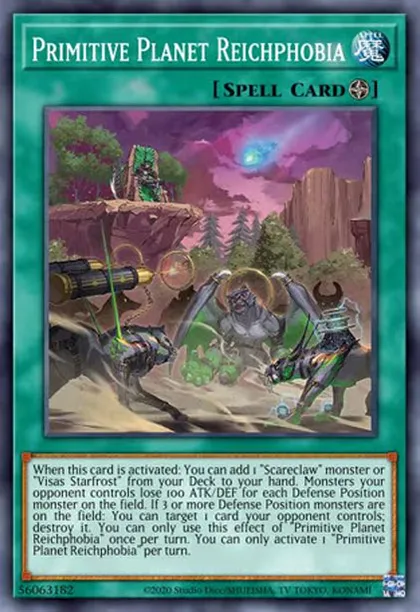
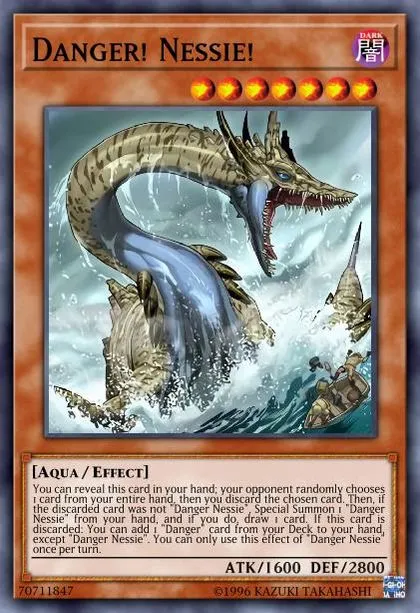
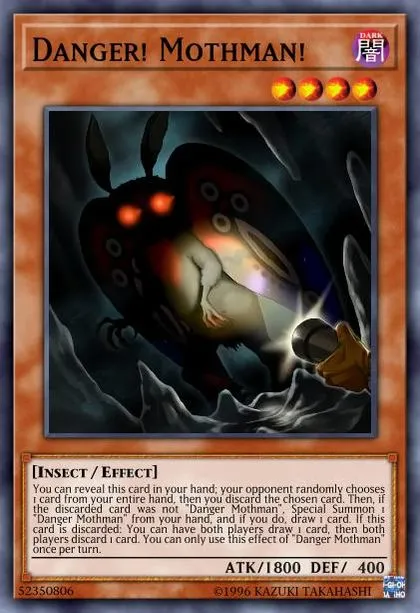
Get gambling! Danger Tear, as it was popularised in the TCG, uses Dangers to flood the field with DARK bodies that help make Loading.... They may also snipe Tearlaments, thereby triggering their GY effects as Dangers snipe for effect, or help you draw into your starters like Loading... and Loading.... Loading... is an Aqua for fusions, and Loading.../Loading... act as Rank 4 fodder.
Danger Tear can make great use of Loading..., which can discard a Danger for cost, triggering it's effect and offseting Spoly's cost.
If the Yu-Gi-Oh! DB website asks to login with Game Card ID just click "I don't have a game card ID" and fill some basic information to proceed
Export Guide
- Via the MDM extension (Recommended): Download on Firefox, or Chromium Browsers For Chromium browsers (Chrome/Edge/Opera/Brave...etc) just click "Add to chrome" on the store page and it'll work on most if not all chromium browsers. After using the extension, go to the Master Duel game => Main menu => Deck option => The Card database option at the top right corner => locate the deck you exported and copy it
Once the deck page loads click Edit then do one of the following based on the platform your device is running:
(PC Only): Press F12 to open the DevTools window => Navigate to the Console tab in the window => Paste the export code => Hit Enter
OR (Other platforms/PC): In the address bar of the current tab remove the URL and type "javascript:" without the quotations then paste the export code, then if you're on mobile look for the *globe* icon and tap on it to run the code (Chrome only), for PC users just hit enter.
The deck will save automatically
Go to the Master Duel game => Main menu => Deck option => The Card database option at the top right corner => locate the deck you exported and copy it
With the ban of Cruler comes a loss to Kashtira Tear, which would use the Level 7 Kashtiras and Level 1 tuners to make Cruler. However, Loading... can still be played as a package with Loading....
Against experienced players, Unicorn on its own will not bait an Ash or an Imperm. This is why playing Loading... is not as good as it seems. Interactions will be held past Unicorn and dropped onto your Tearlaments plays. From there, a lone Birth can not effectively create any plays. This is why Theosis is reccomended. If interrupted, you get to pass on Loading..., an auto win button in many matchups. If not interrupted, you can increase ceiling by using Theosis after you combo to end on Ariseheart anyways.
This variant is not highly recommended, as the additional package does a poor job of advancing Tearlament plays, and is not substantial enough on its own like Mannadium or Scareclaw.
If the Yu-Gi-Oh! DB website asks to login with Game Card ID just click "I don't have a game card ID" and fill some basic information to proceed
Export Guide
- Via the MDM extension (Recommended): Download on Firefox, or Chromium Browsers For Chromium browsers (Chrome/Edge/Opera/Brave...etc) just click "Add to chrome" on the store page and it'll work on most if not all chromium browsers. After using the extension, go to the Master Duel game => Main menu => Deck option => The Card database option at the top right corner => locate the deck you exported and copy it
Once the deck page loads click Edit then do one of the following based on the platform your device is running:
(PC Only): Press F12 to open the DevTools window => Navigate to the Console tab in the window => Paste the export code => Hit Enter
OR (Other platforms/PC): In the address bar of the current tab remove the URL and type "javascript:" without the quotations then paste the export code, then if you're on mobile look for the *globe* icon and tap on it to run the code (Chrome only), for PC users just hit enter.
The deck will save automatically
Go to the Master Duel game => Main menu => Deck option => The Card database option at the top right corner => locate the deck you exported and copy it
Do not take these decklists as gospel! They are simply sample lists. Non engine is always changing and Tear is an ever evolving deck. Lists will change over time. Try them for yourself and make personal adjustments or come to #tearlaments to discuss them!
Extension
In many of the decklists provided, you may have seen cards like Loading..., Loading... or Loading.... I will refer to these cards as “Grief-esque” cards as they all serve a similar purpose: to act as extension through interaction. Unlike our TCG counterparts, MD Tear has suffered many hits to our extension.
This leaves Tear much weaker to interaction. As a result, many Tear lists now play Grief-esque cards to beat handtraps and to push through boards. These cards can ensure we resolve Loading..., our strongest weapon that can single-handedly win games via a mill 10. With our hits on the banlist, it is critical we make the most of the total custom card Loading... - which the Grief-esque cards ensure.
Snow
Loading... remains one of the strongest cards in the MD Tear arsenal. Milling Snow represents bodies as well as interaction going first and second. Many builds play dedicated foolishes like Loading... or Loading... just to get Snow into rotation. Everytime you mill, you want to be hitting Snow - she's so important, some builds play more than 1. It is often said that if you hit Snow, you win.
Shufflers
Once a Tearlaments staple, you may have noticed that few decklists above play the shufflers. This is because the role of the shufflers has changed with banlists. Rather than necessities, they should be viewed as mill payoffs. They are very meta dependent, where their strength as mill payoffs may not justify their bricky nature in hand. They are much stronger in a Branded meta than a Purrely/Dlink one.
Upcoming Support
Rev Synchron
Despite the ban of Cruler, Loading... still remains a viable option in Tearlaments. Playable alongside Loading..., the release of Loading... gives Rev Synchron another target.
The combo will involve any Lv4 monster (ideally a negated Loading... or Loading...) and Rev Synchron from hand.
PUNK Tear: With Cruler’s ban, the Punk engine becomes significantly weaker. Whilst you can still mill 4 with Loading..., there is no solid Synchro 8 to make that furthers your Tearlament plays. This lack of payoff makes the Punk engine much worse considering it’s major downsides (weak to handtraps and weak going second to spot removal without opening the Semi-Limited Loading....
Synchro Tear: A popular way to play Tear, this variant relied on Level 1 Tuners Loading... and Loading... to facilitate Cruler and Loading... plays. However, with the banning of Cruler, this variant suffers largely.
Dangerous + Mali Beatrice Turbo: One of the more successful ways to play Tearlaments in the TCG, using Loading... and Loading... to turbo Loading.... However, the MD banlist casts doubts on this strategy. The need to expend one of two valuable fusion summons to make Beatrice is not as attractive as in the TCG. This leaves you unable to summon Loading... or Loading... on your turn, forcing Beatrice to send a fusion on the opponents turn. Loading... may make this strategy stronger.